2026 · Web · Live
Understand the offers. Make an informed choice.
I built qualcredito when I was comparing mortgage proposals myself. I had the banks’ PDFs, but I struggled to understand what they were offering and how the costs compared. I wanted to make an informed choice, so I made a tool to put the offers side by side and see what I’d actually be paying. And then I thought this could be a useful tool for other people, too. In a way that was simple and easy to use.
* “qualcredito” means “which credit”.
Make sense of the bank’s PDF
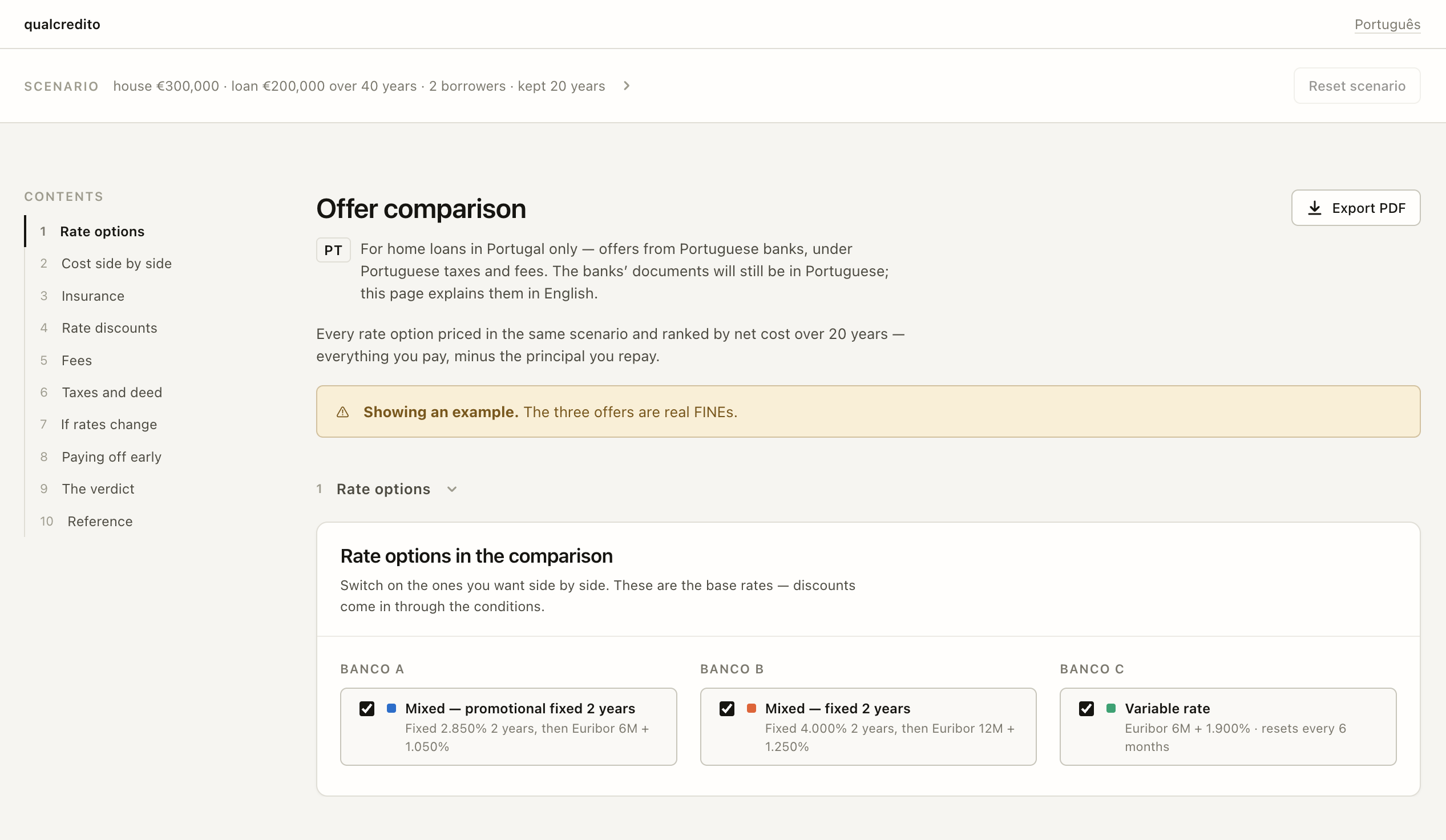
Start with each bank’s FINE, the standardised document that comes with a mortgage proposal. qualcredito reads the fields it recognises and keeps them beside the original PDF, where you can check and correct them. You can enter an offer by hand, too.
The PDFs stay in your browser. When a FINE is laid out in a way the browser can’t read, only its text goes to an AI model, with names, tax numbers, addresses and birth dates removed first. Scans are never sent and go straight to filling in by hand. Extracted numbers stay editable. The comparison is only as useful as the figures going into it, so checking them is part of the flow.
Life insurance is often where the offers differ most. Drop in a quote from an outside insurer and it sits beside the banks’ own policies, so you can see whether a discount that requires the bank’s insurance is worth taking.
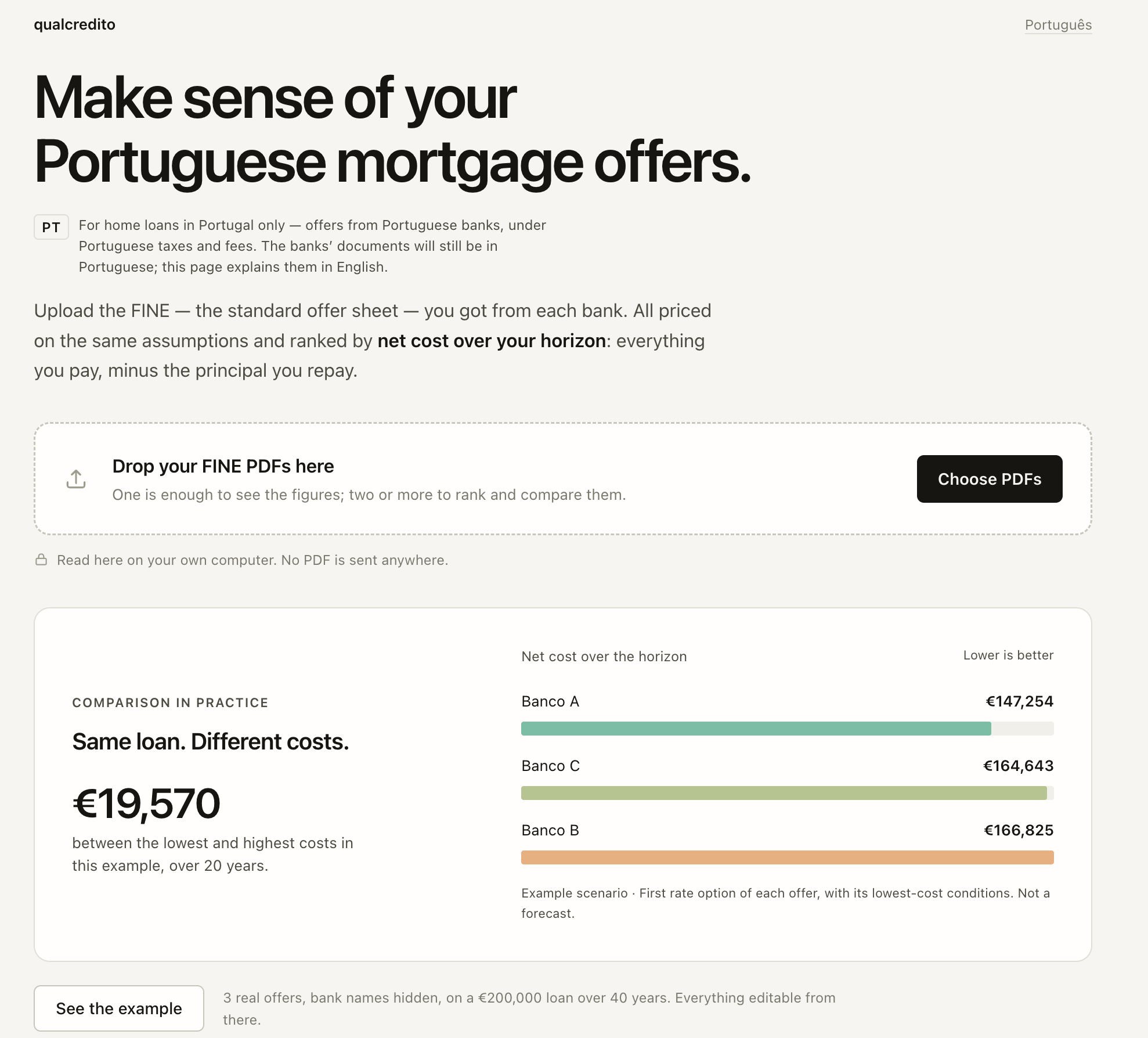
See how the costs compare
Put every bank’s offer on the same assumptions, with insurance and fees included alongside the mortgage payments. Compare the net cost over the period you choose, accounting for the loan principal you’ve paid back.
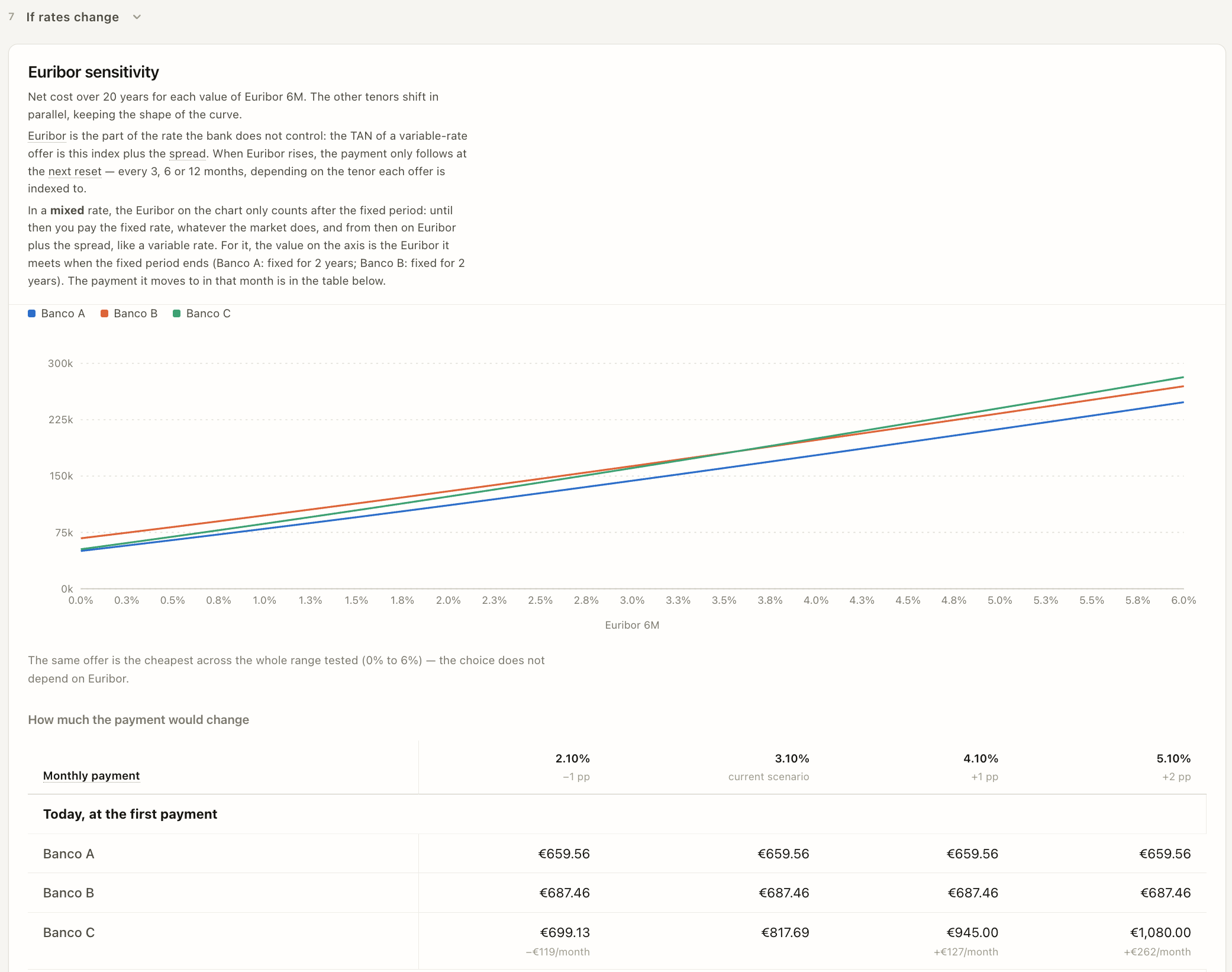
Change the time frame, try a different Euribor rate or explore paying the loan off early. Every offer updates together. You can see how the ranking changes when your plans do.
Save up to three scenarios and switch between them. “What if we only stay ten years?” is one click away, with the first answer still there to go back to. A “What if?” tab tests a harder case: Euribor at its twenty-year high together with a lost salary, for a while.
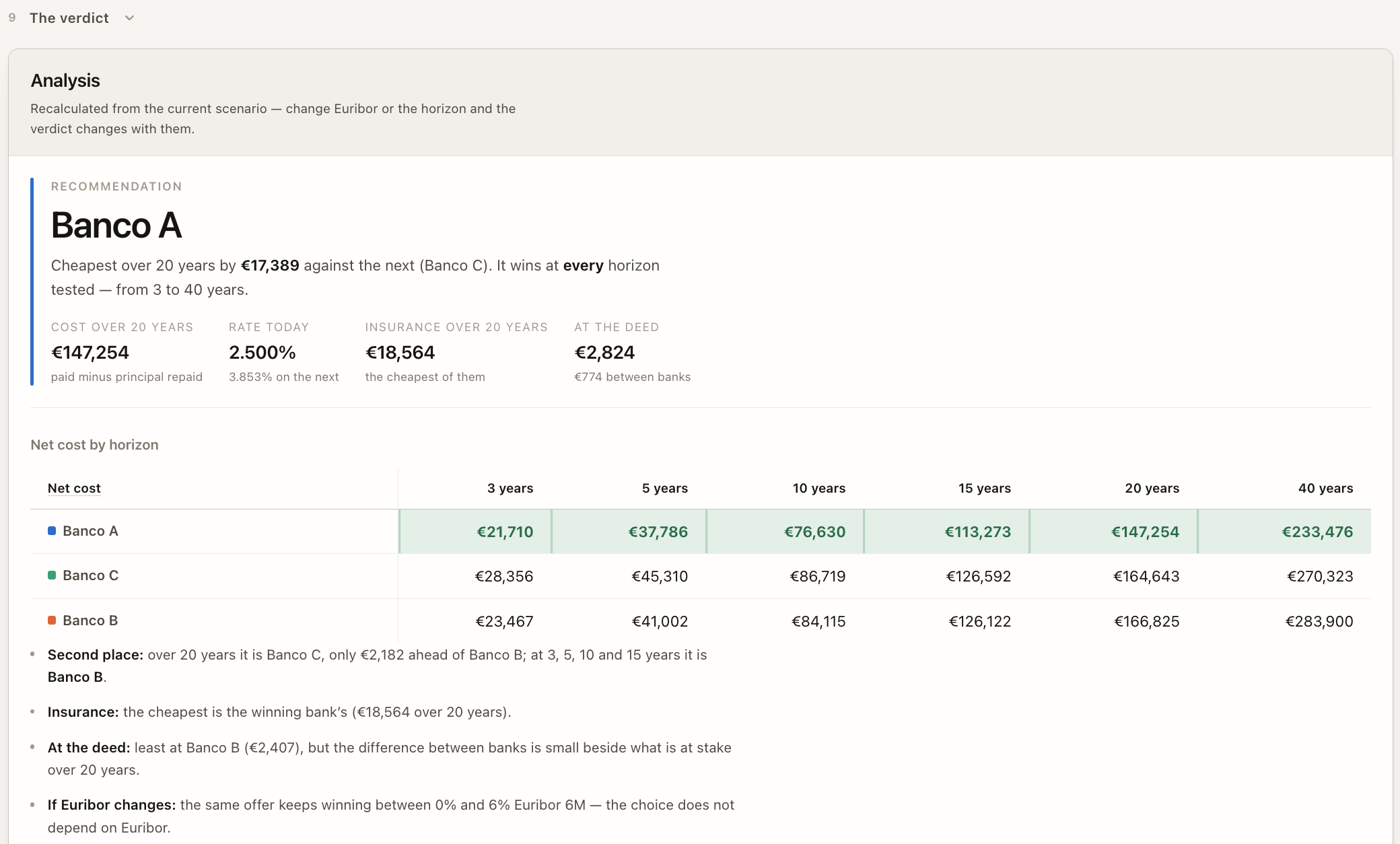
The monthly bill puts the instalment, insurance and account fees in one line, so you know what leaves your account each month. The verdict leads with the offer to choose, what you’d sign and what it costs. The whole comparison exports as a PDF to take to the bank.
Not sure what you’re looking at? Switch on “Explain each section” and a short guide walks you through the page, one section at a time. It tells you what each part shows, what to look at first and what to watch out for. Each section can also be copied as a prompt to take to an AI assistant.
Answer the questions around the offer
A mortgage starts long before the FINE and goes on after the deed. qualcredito now has 20+ guides for the questions people ask along the way. They cover the steps of buying a home, the bank’s valuation, the public guarantee for young buyers and the documents for the deed. Others explain how Euribor moves your payment and when paying early pays off.
Two calculators work without a FINE. One works out the IMT on a purchase. The other shows how much a bank would lend on your income. After the deed, a calendar lays out the dates that follow, including your council’s IMI rate, and saves them to your own calendar.
No bank offers to hand? There’s an editable example with three offers to try. Available in Portuguese and English.
Explore the comparison← All projects